QGPT MINI
The market in your notch. A tiny always-on wing docked to your screen edge: live rings for the S&P today and year to date, the 200-day regime, the Hindenburg breadth watch, VIX, Bitcoin, the 10-year, and any stocks you follow. Hover a ring for the plain-English card. Pick up to eight. Click the triangle to tuck it away.
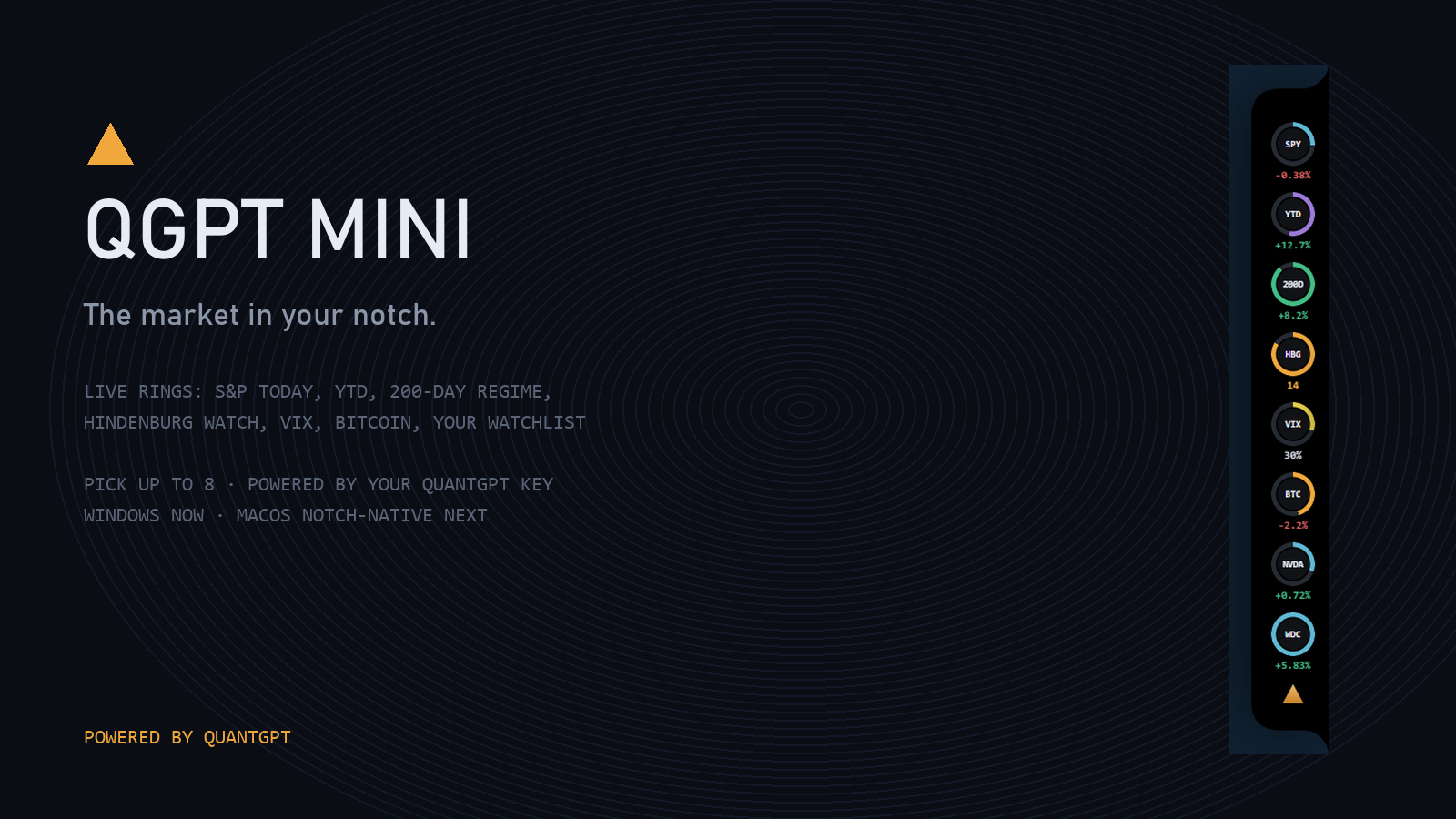
Eight slots. Fill them from the catalog (regime, breadth, fear, Bitcoin, yields, the market clock) or type tickers and each gets its own ring.
The breadth ring runs on decades of computed NYSE data, every delisting kept. This is not a quote widget; it is the QuantGPT warehouse on your desktop.
Click-through everywhere except the wing. Tuck it to a slim tab with one click on the triangle. It never steals focus and never makes a sound.
// SETUP · NINETY SECONDS
- Download the ZIP, unzip anywhere, run QGPT Mini.exe.
- Windows will warn about an unrecognized app while our code-signing certificate is in progress: choose More info, then Run anyway.
- The settings card opens on first run. Paste your qg_sk API key from the ACCOUNT page, pick your rings, add your tickers, SAVE.
- Find the amber triangle in your system tray for show/hide, settings, and quit.
QGPT MINI DISPLAYS MARKET DATA FROM THE QUANTGPT WAREHOUSE. IT PLACES NO ORDERS, SENDS NO NOTIFICATIONS, AND COLLECTS NOTHING BEYOND THE API CALLS IT MAKES WITH YOUR KEY. NOT INVESTMENT ADVICE. · PRIVACY · TERMS